Smart VIN Check for Chrome
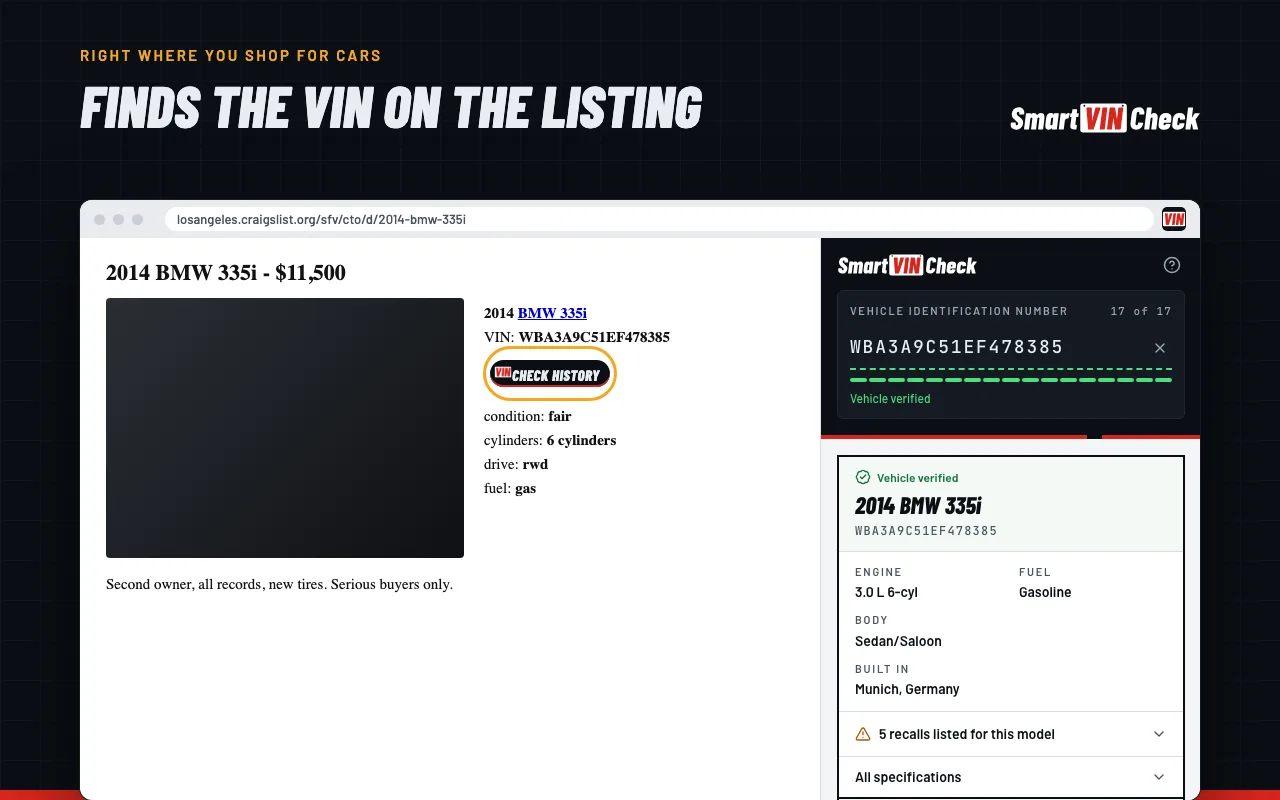
Finds the VIN on car listings, decodes it for free with the open recalls, and opens the history reports for that car in one click.
Works on
- Facebook Marketplace
- Craigslist
- AutoTrader
- CarGurus
- Cars.com
- eBay Motors
- Copart
- IAAI
What it does
- 01
Finds the VIN on the listing
A “Check history” button appears next to every VIN on the page. The toolbar icon shows how many it found.
- 02
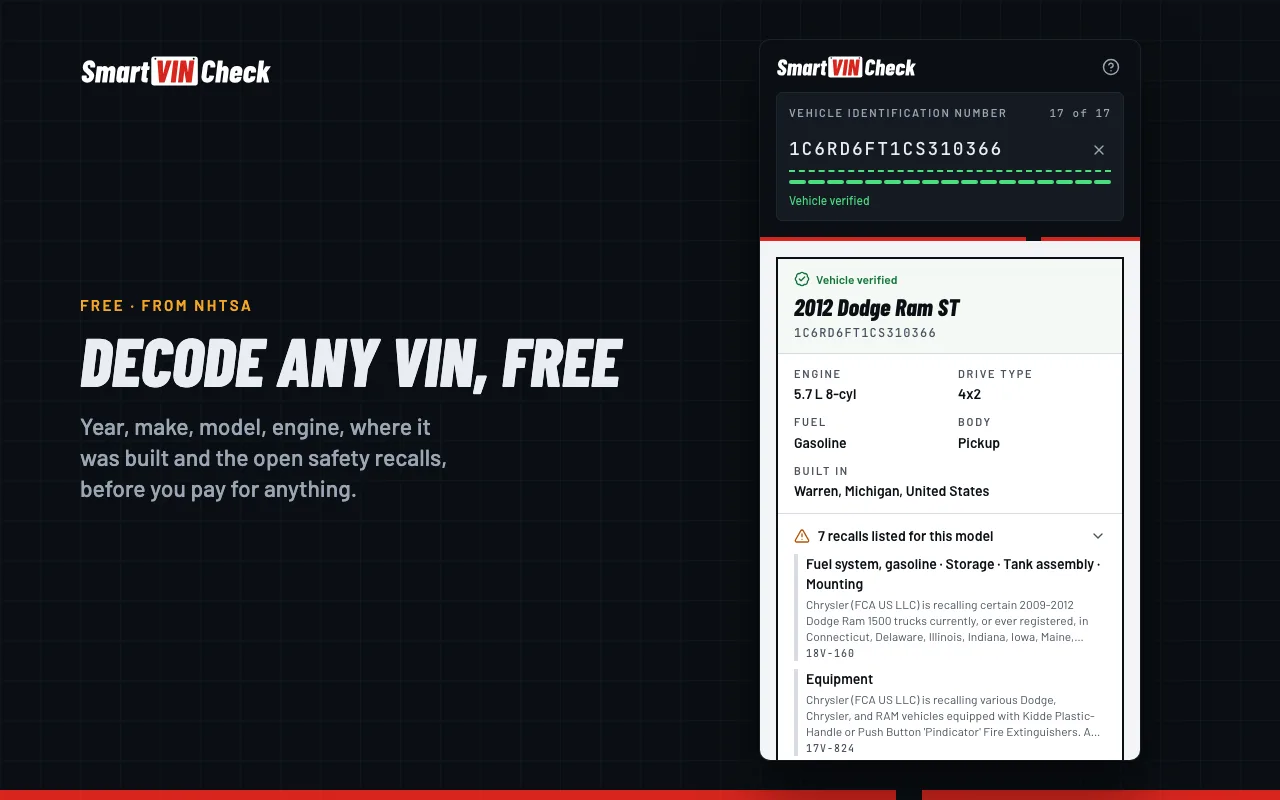
Decodes it for free
Year, make, model, engine, where it was built and the open safety recalls, from NHTSA, before you pay for anything.
- 03
Catches a mistyped VIN
If the check digit doesn’t match, it suggests the fix only when that VIN decodes cleanly.
- 04
Stays beside the page
Open it in Chrome’s side panel and it stays there while you scroll through listings.
What it reads, and what it sends
It reads listing pages on your device to find VINs; the page itself never leaves your browser. A VIN is sent to us only when you type it or click it, to decode it. No account, no ads.
Read the privacy policyQuestions
Is it free?
Yes. The extension, the decode and the recall list are free. History reports are paid, on our site, at the prices on the pricing page.
Does it work in Edge or Brave?
Yes. Browsers built on Chromium, such as Microsoft Edge, Brave and Opera, can install it from the Chrome Web Store.
Can it see what I browse?
It runs only on the car listing sites it names, and it reads their pages on your device. It never sends a page or your browsing anywhere.
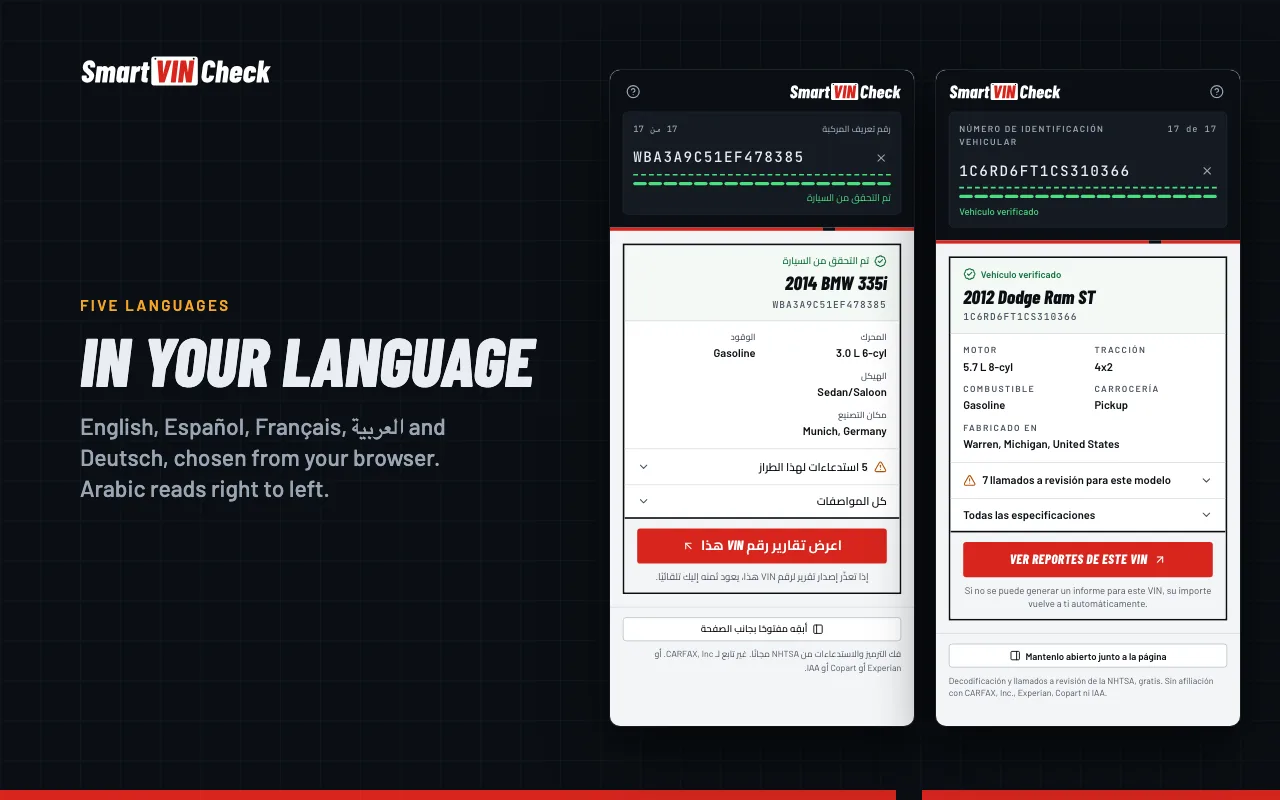
Which languages does it speak?
English, Spanish, French, Arabic and German. It follows your browser’s language.